Run Your Business Faster with ZyncPOS
A point of sale system built specifically for iPad. Fast, intuitive, and powerful — everything you need to manage transactions, inventory, and business reports.
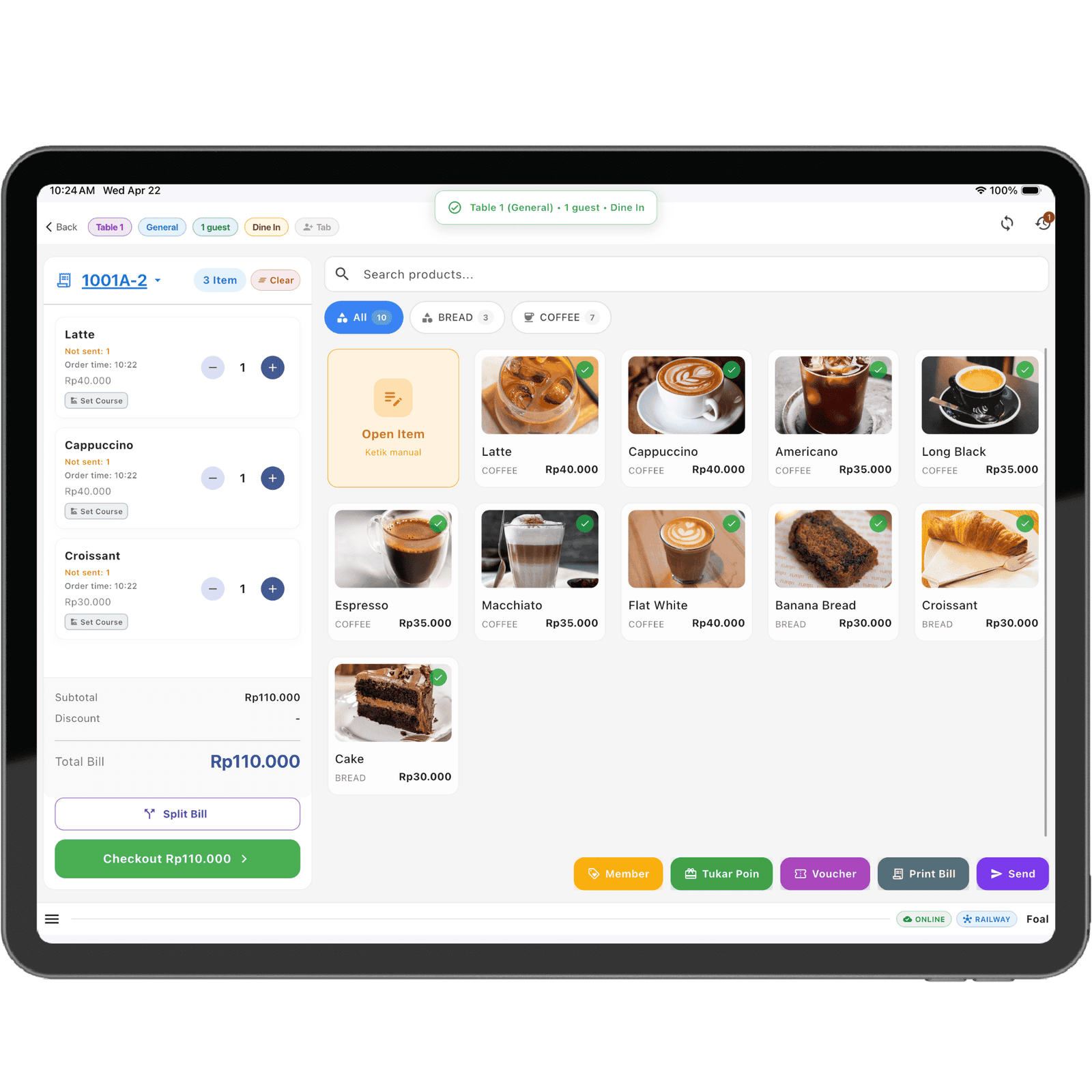
A point of sale system built specifically for iPad. Fast, intuitive, and powerful — everything you need to manage transactions, inventory, and business reports.
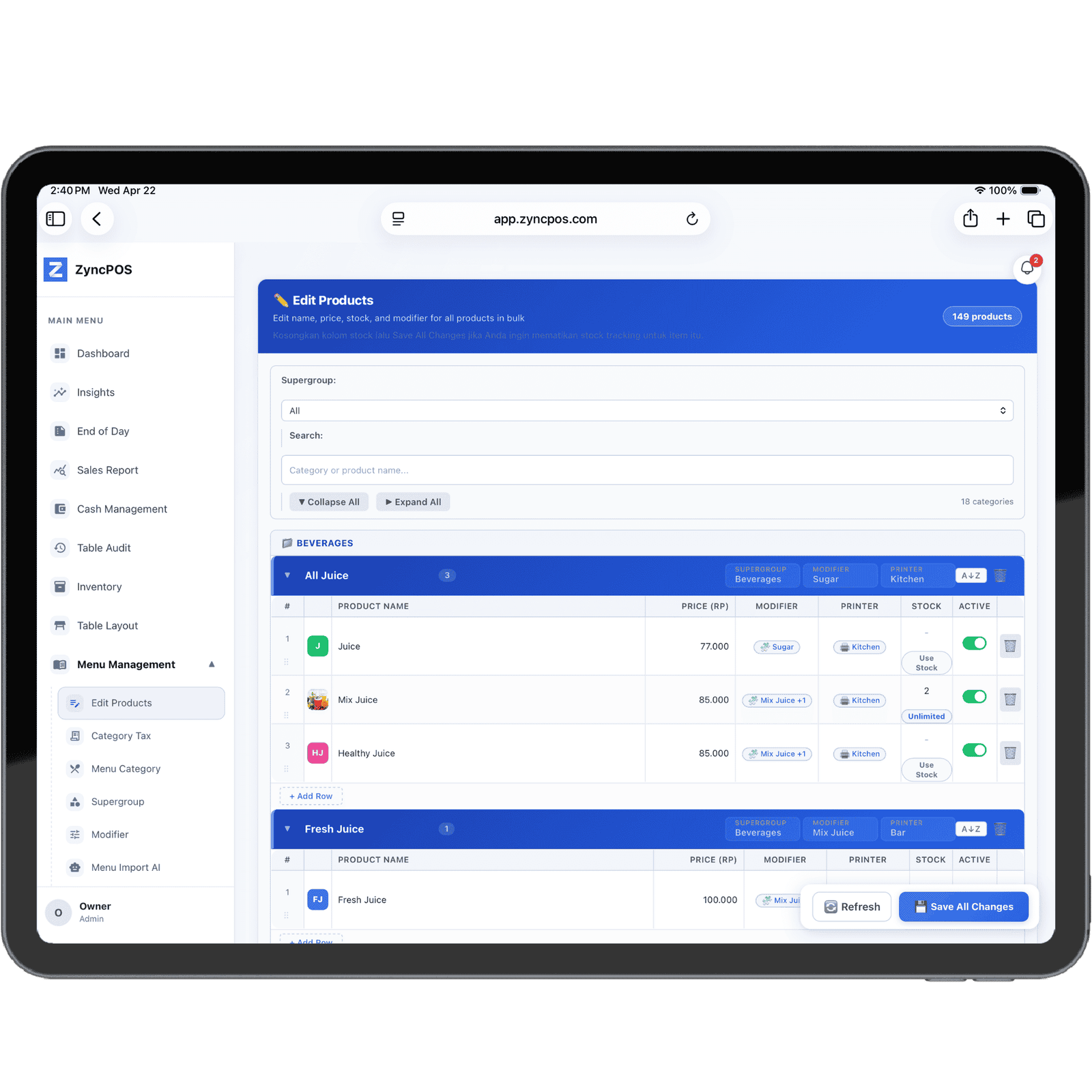
Designed for speed and simplicity, ZyncPOS provides all the features modern businesses need.
Process payments in seconds. Optimized for iPad touch interface with intuitive gestures.
Manage categories, modifiers, and supergroups. Organize your menu easily right from iPad.
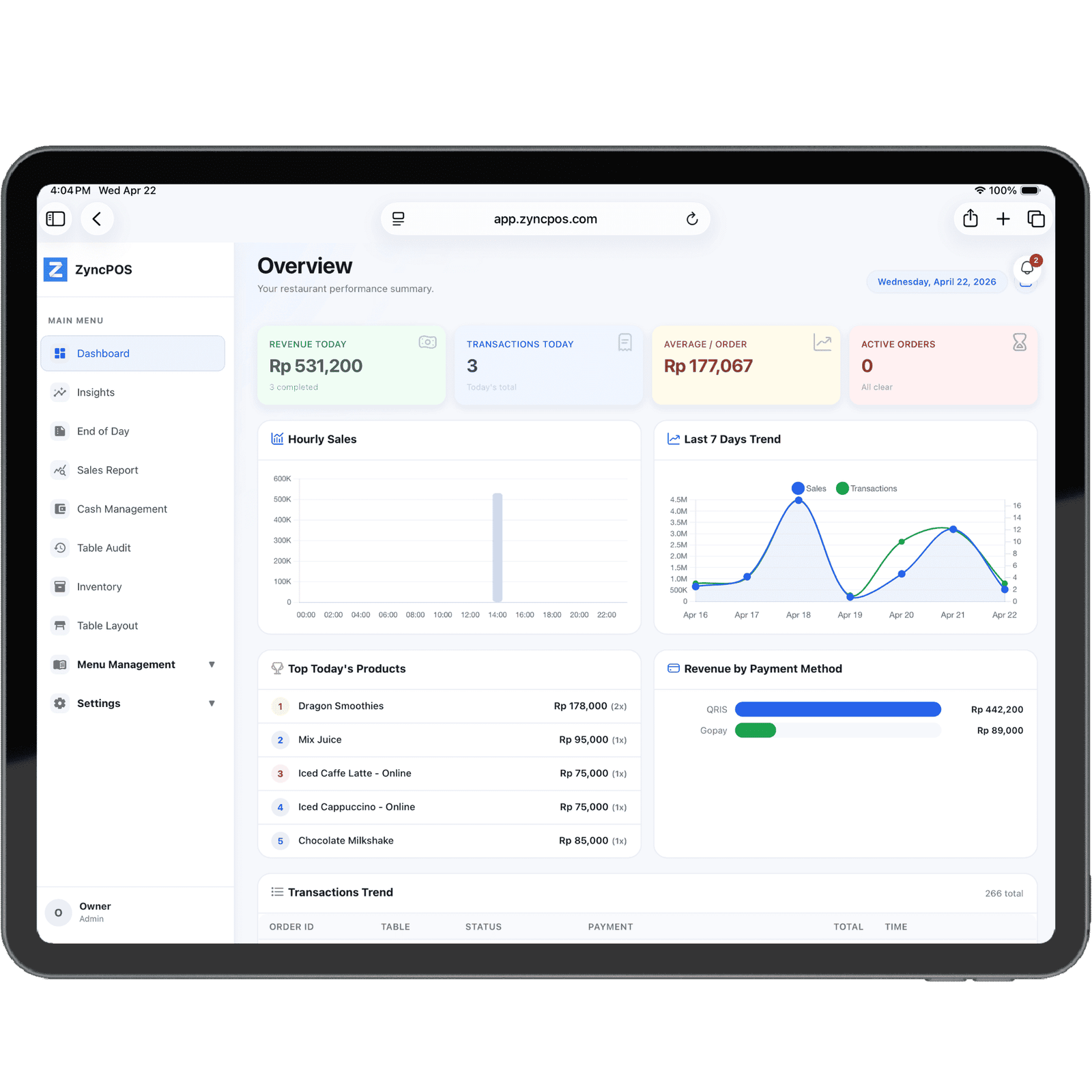
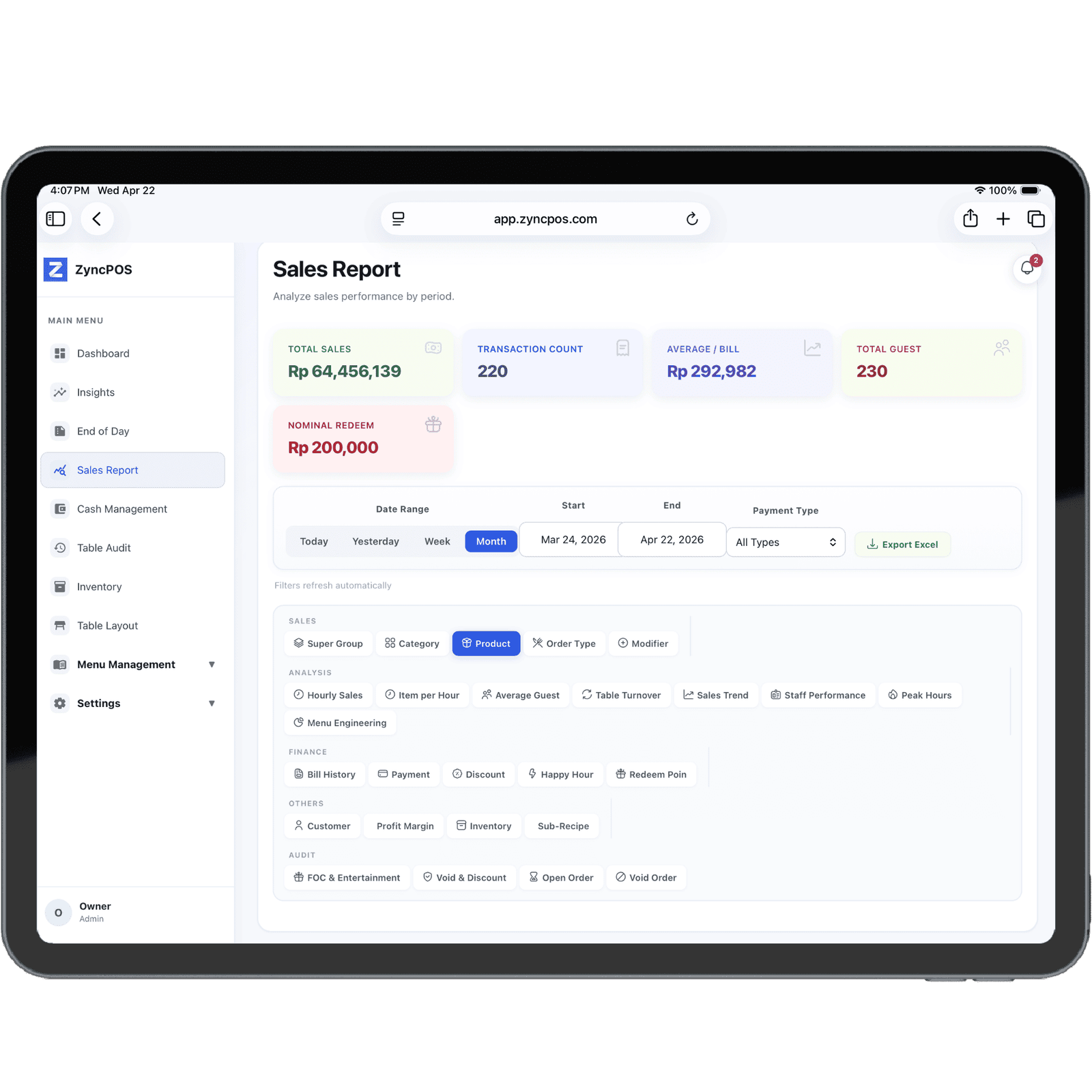
Real-time dashboard with interactive charts. Daily, weekly, and monthly reports.
Accept Cash, QRIS, card payments, and split bills — all integrated in one system.
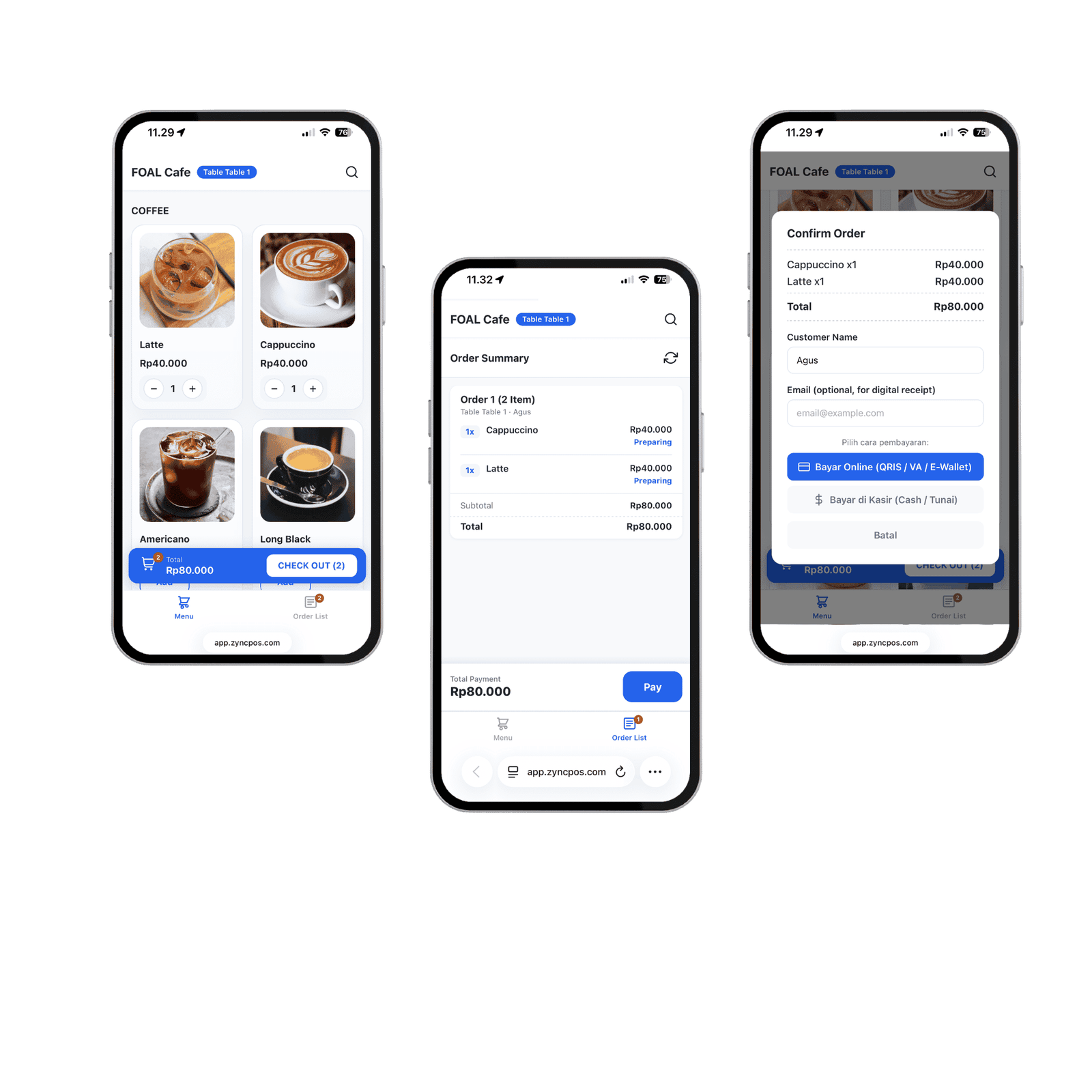
Customers scan QR at the table to order directly from their phone. Reduce queues, increase efficiency.
Real-time Kitchen Display System. Orders appear on the kitchen screen as soon as they're placed.
Arrange table layouts by section. See real-time table status — available, occupied, or reserved.
Thermal printer support for receipts, bills, and kitchen tickets. Easy wireless setup.
Set automated promos based on time, item, or total purchase. Schedule happy hours with ease.
Each cashier has their own PIN. Manage access rights: admin, cashier, or manager with different levels.
Table booking system with calendar. Customers can reserve, staff receive automatic notifications.
Automatic & scheduled data backup to cloud. Manage your business from any browser, anytime.
Scan QR at the table, browse the menu, pay online or at the cashier — no queuing, no hassle. Orders go directly to the kitchen in real-time.
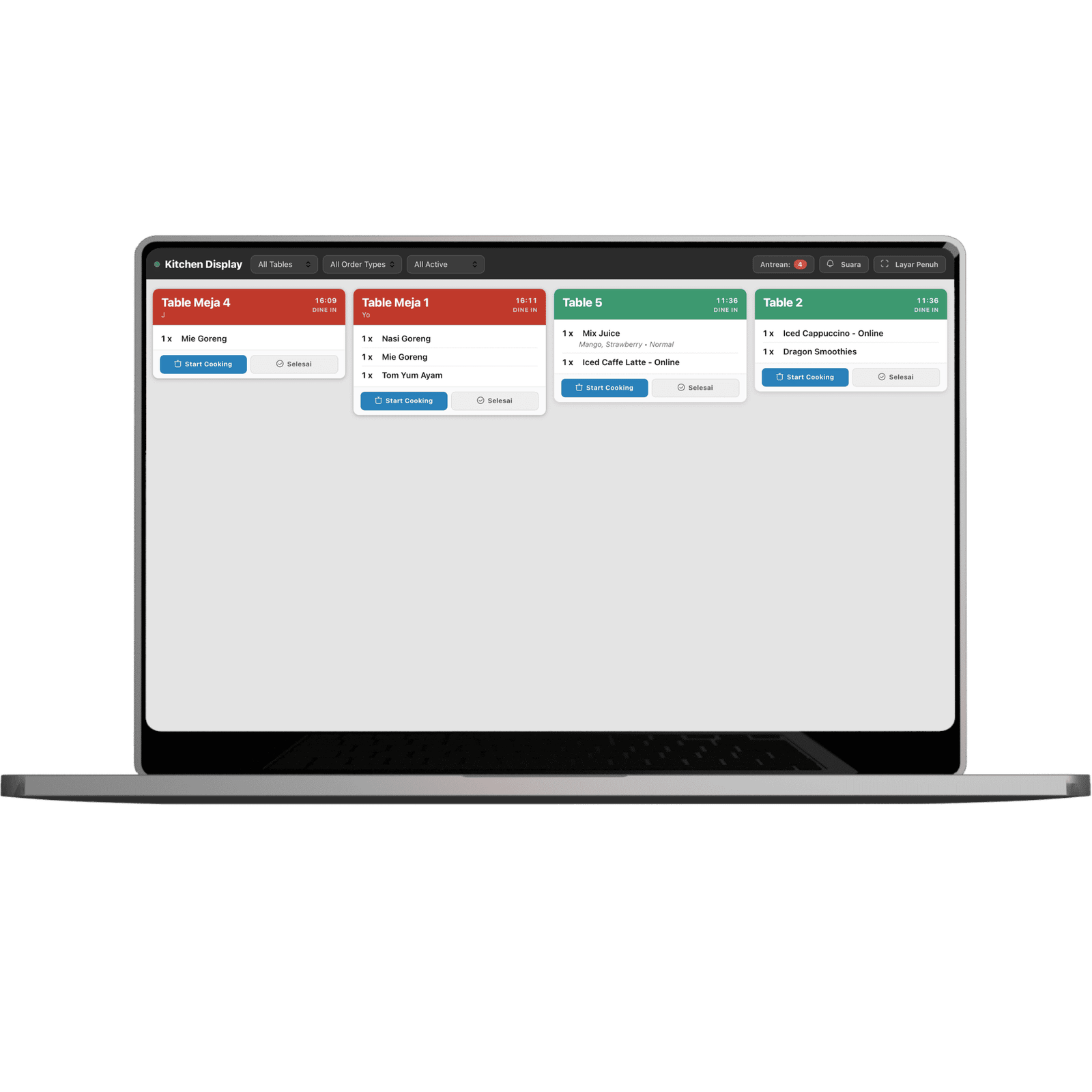
Orders appear on the kitchen screen in real-time as soon as the cashier processes them. The kitchen team always knows what to cook — no paper, no shouting.
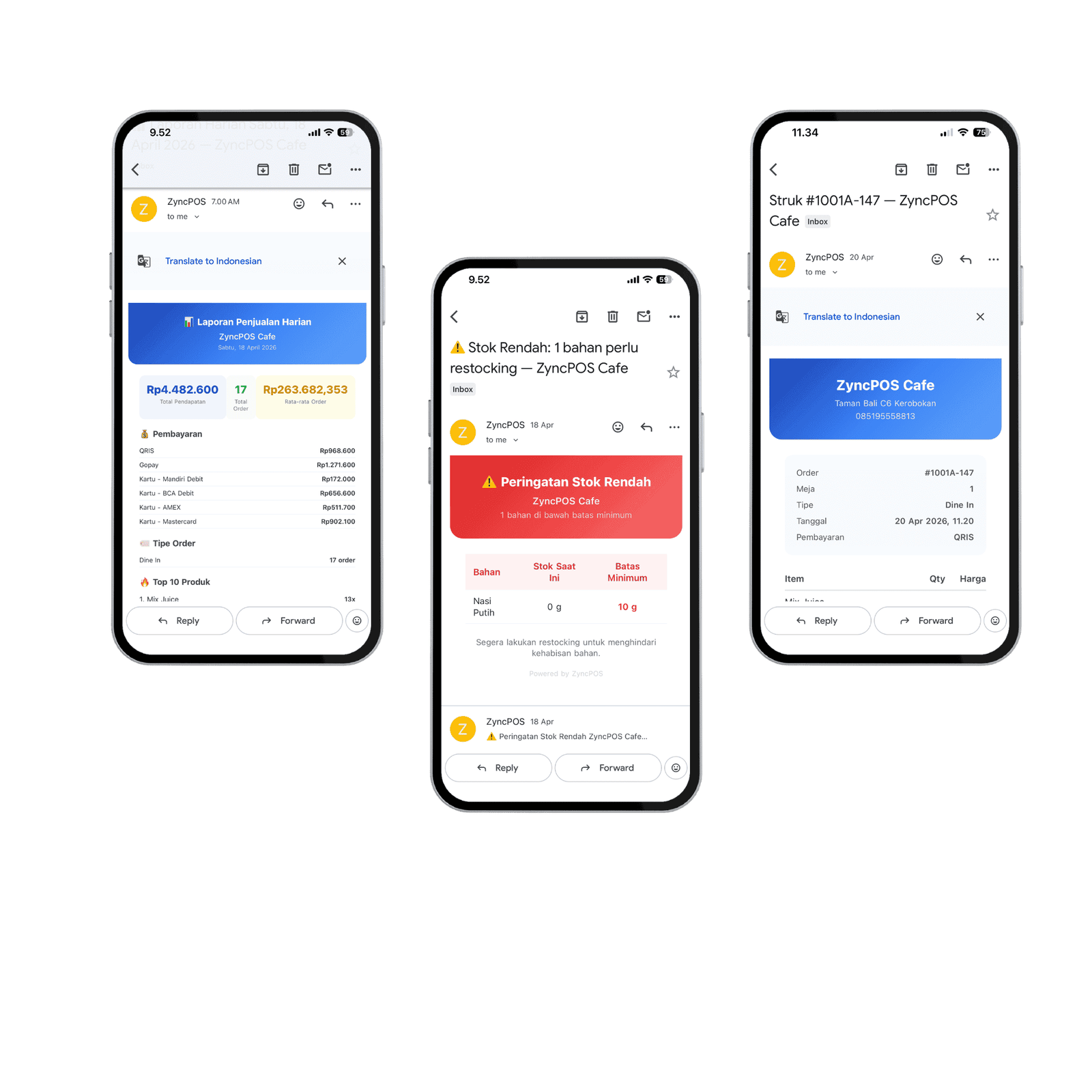
ZyncPOS works quietly in the background, sending reports, alerts, and receipts straight to your inbox. No support team needed, no manual checking required.
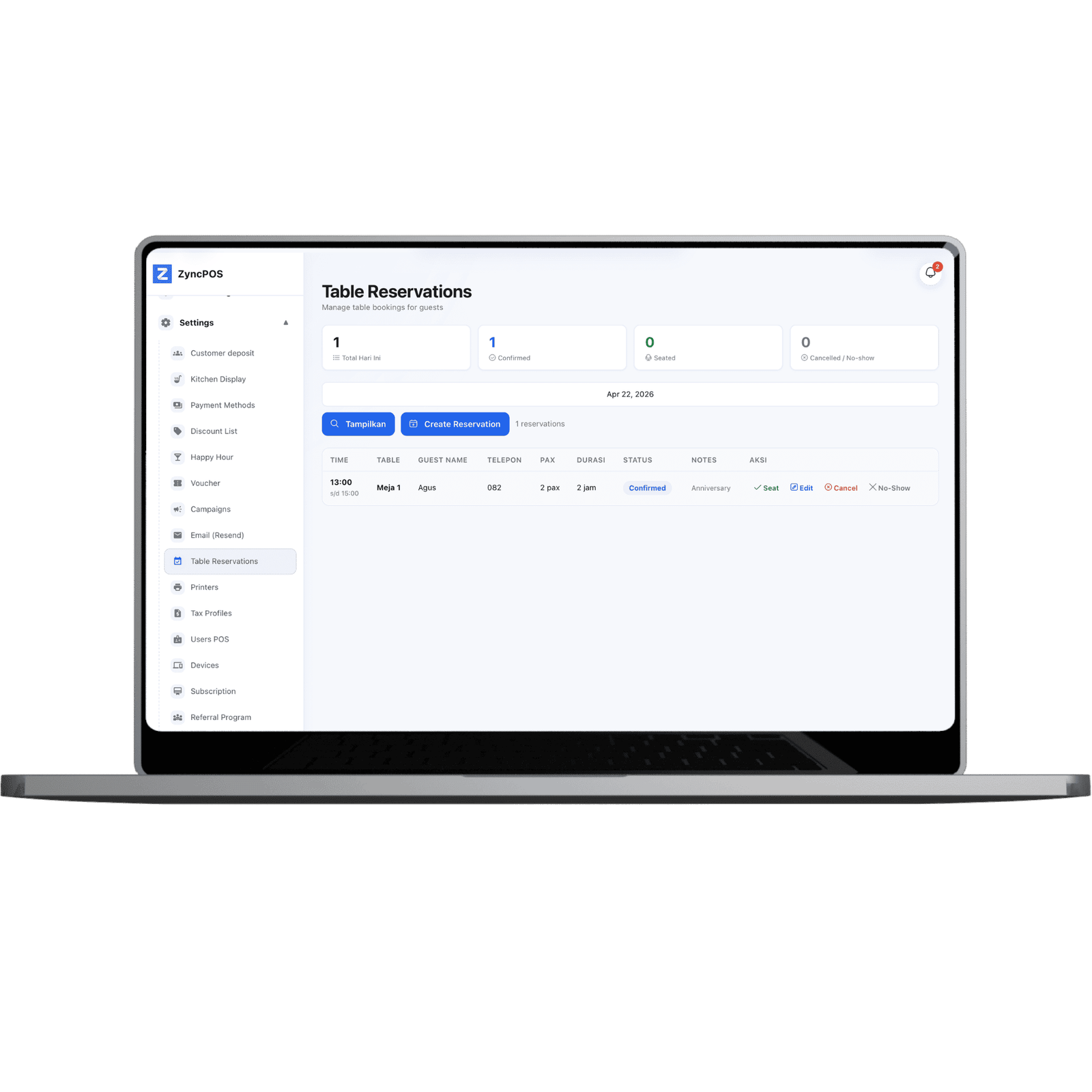
Record guest bookings directly from the POS. No notebooks, no extra apps. All reservations stored neatly, linked directly to tables and cashier.
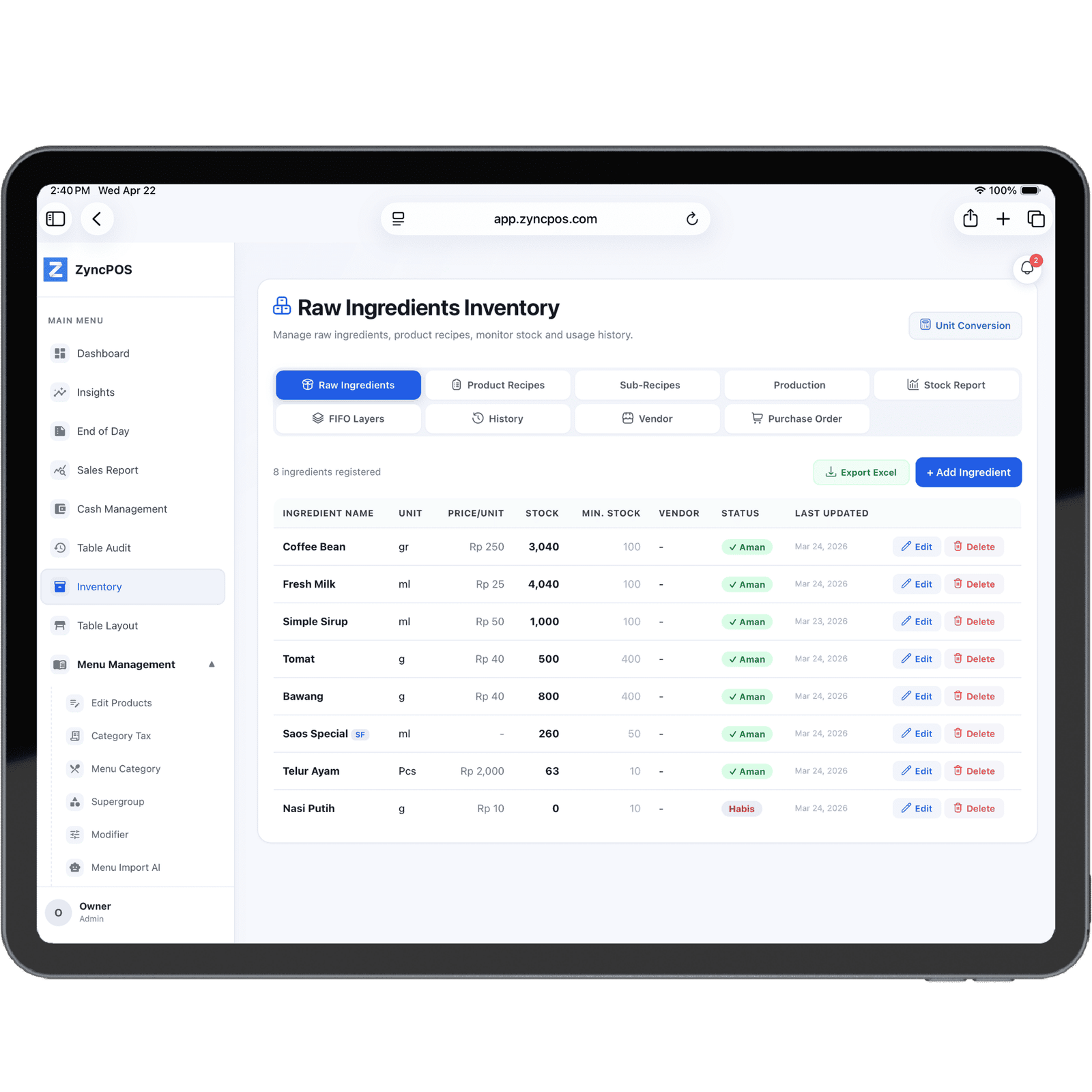
Track raw material stock, set minimum levels, and view margin per product in real-time. ZyncPOS automatically calculates COGS and P&L from every transaction.
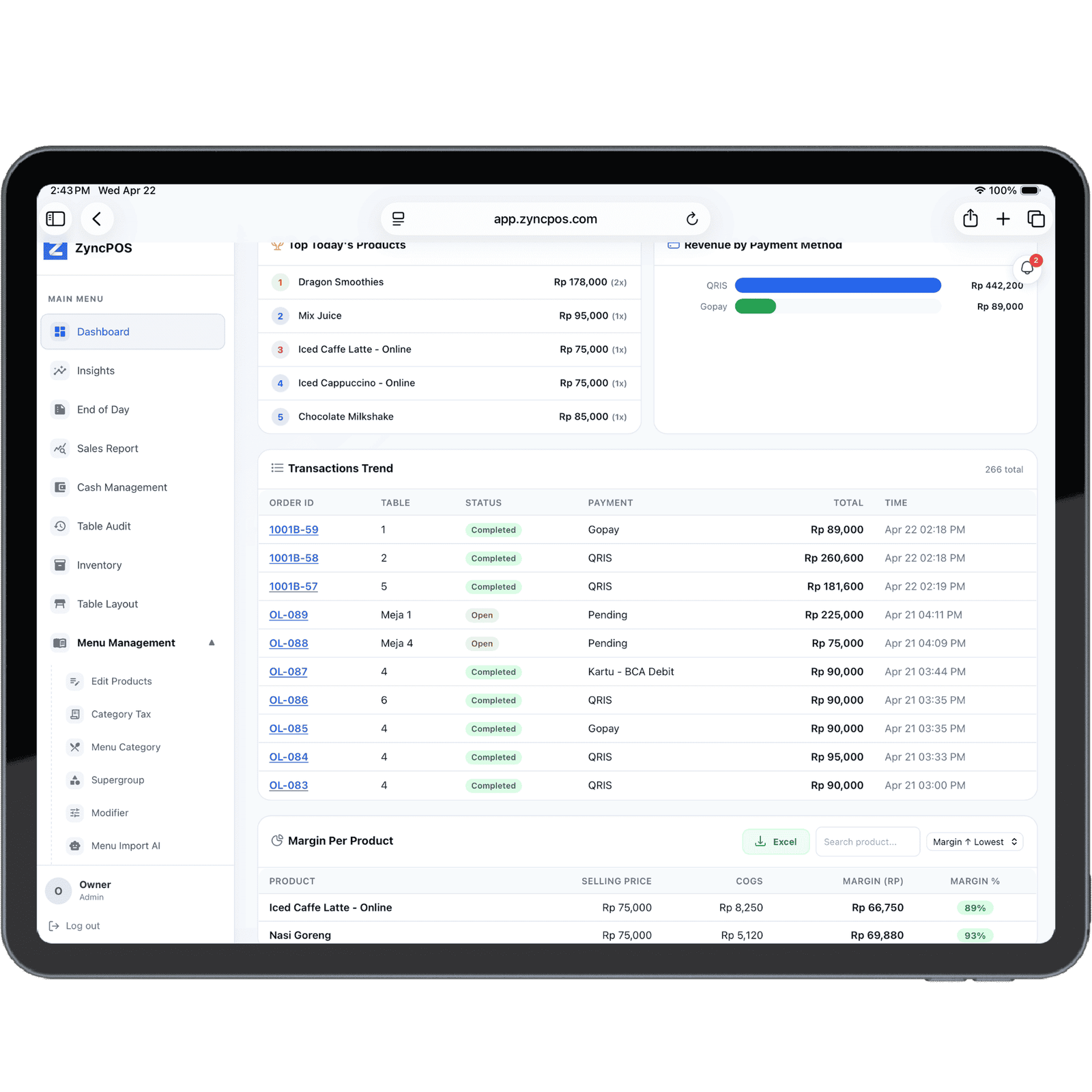
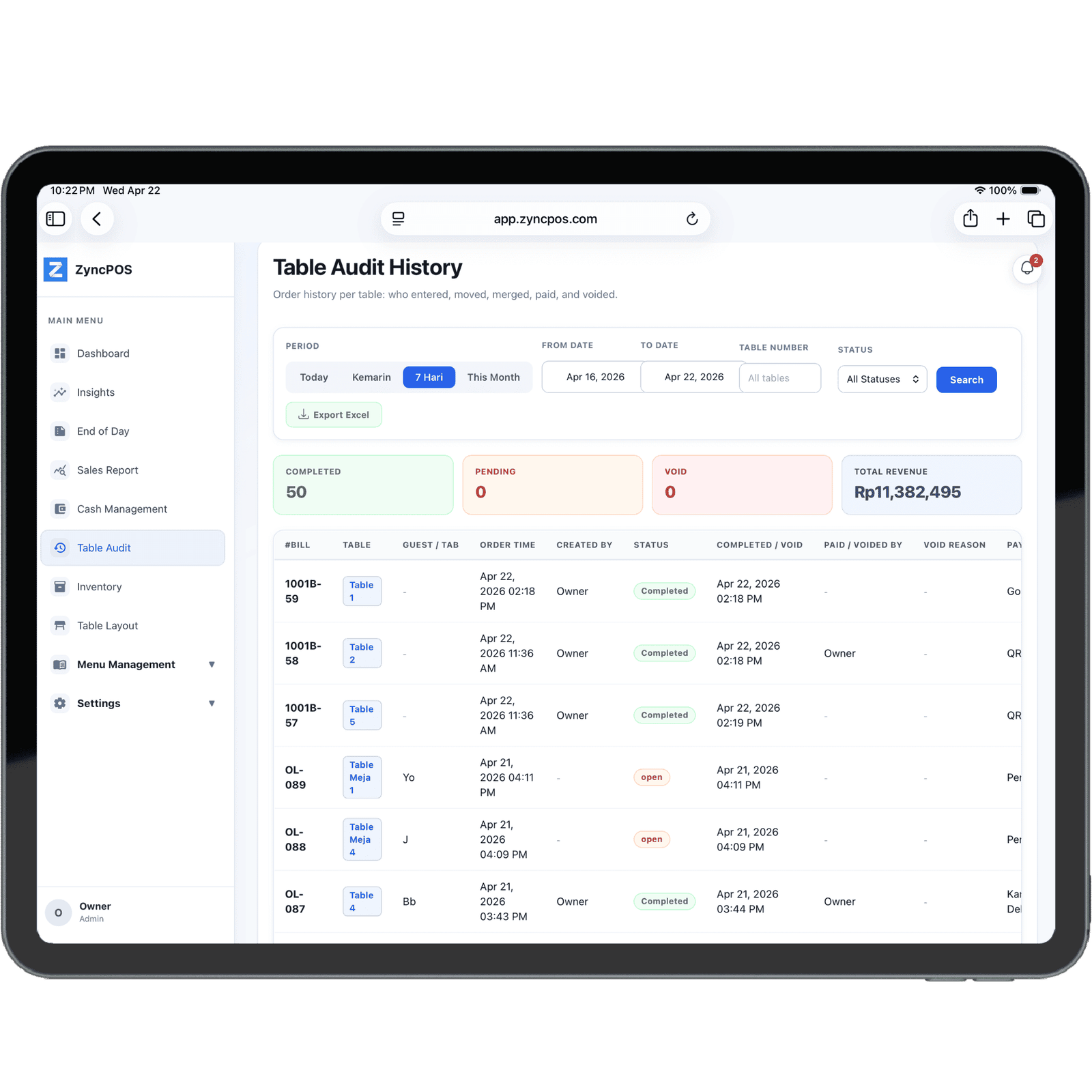
Track per-table order history in detail — who created the order, when it came in, payment status, and who voided it. Nothing can be hidden.
ZyncPOS is built to operate fully even when your internet connection drops. Transactions, kitchen printing, receipt printing, and reports — everything works as normal. Data is stored safely on the device, then automatically synced to the cloud once you're back online.
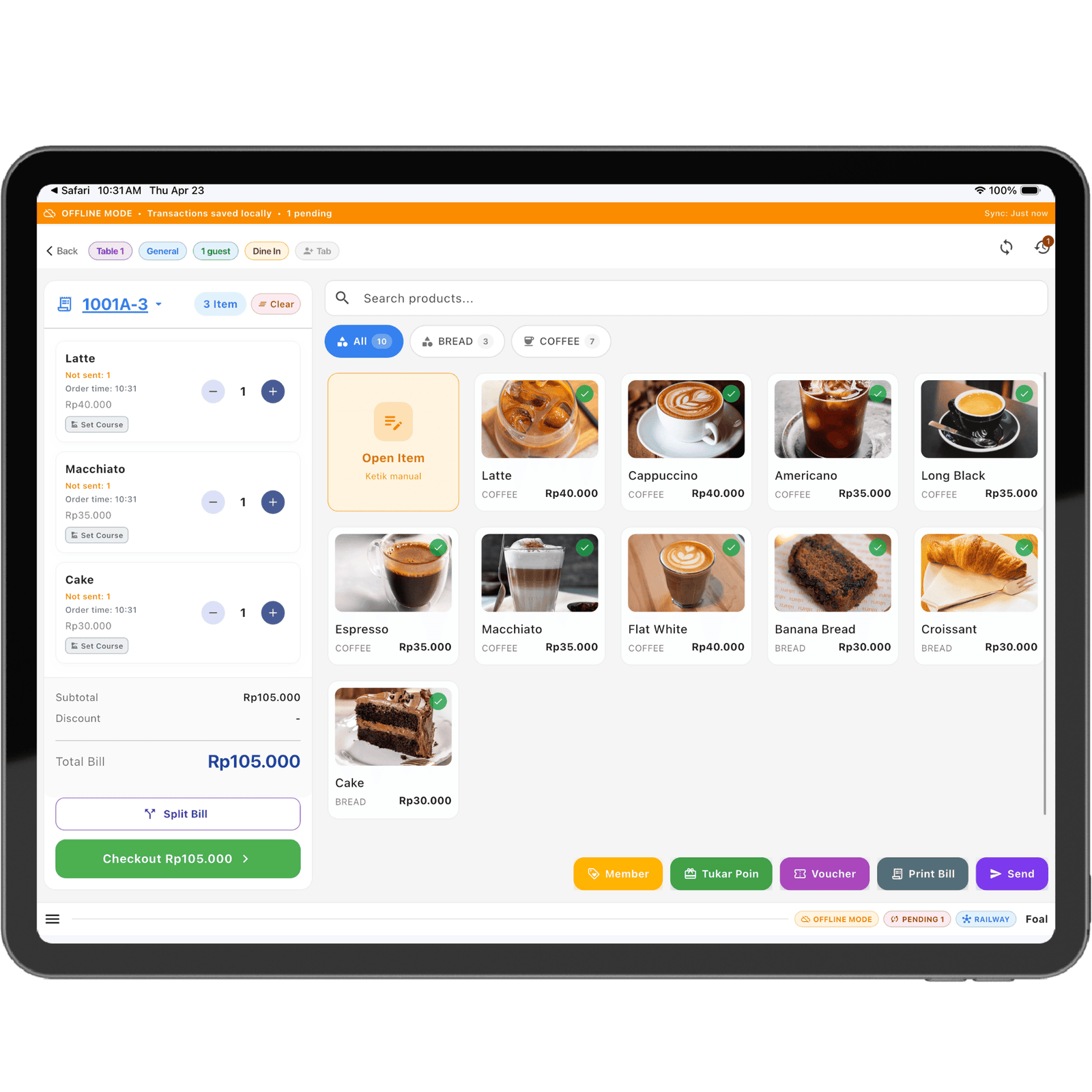
Use multiple iPads simultaneously. Separate cashier and take order modes for a more efficient workflow.
Customers scan QR at the table, order directly from their phone without queuing. Orders go straight to the cashier.
Manage categories, modifiers, variants, and supergroups. Add or edit menu items in seconds.
Create table layouts per section. See real-time table status: available, occupied, or reserved.
Accept cash, QRIS, debit/credit cards, and split bills. All payment methods on one screen.
Print receipts, bills, and kitchen tickets to thermal printers. Supports LAN connection.
Real-time Kitchen Display System. Orders appear on the kitchen screen as soon as they're placed.
Daily, weekly, and monthly reports. Analyze best-selling products, peak hours, and sales trends.
Set automated promos based on time or item. Schedule happy hours hassle-free.
Manage customer deposit balances. Pay with balance, easy top-up, complete history.
Each cashier has their own PIN. Set access levels: owner, admin, cashier, or manager.
Table booking system with calendar. Accept reservations, send confirmations to customers.
Manage VAT, service charges, and other taxes. Create different tax profiles per outlet.
Manage your business from any browser. Monitor sales, edit menus, and view reports.
Safe & scheduled data backup to cloud. Restore anytime, your data is never lost.
Priority support team ready to help. Chat, email, or remote directly to your device.
Interface designed specifically for iPad, utilizing every pixel for maximum productivity.
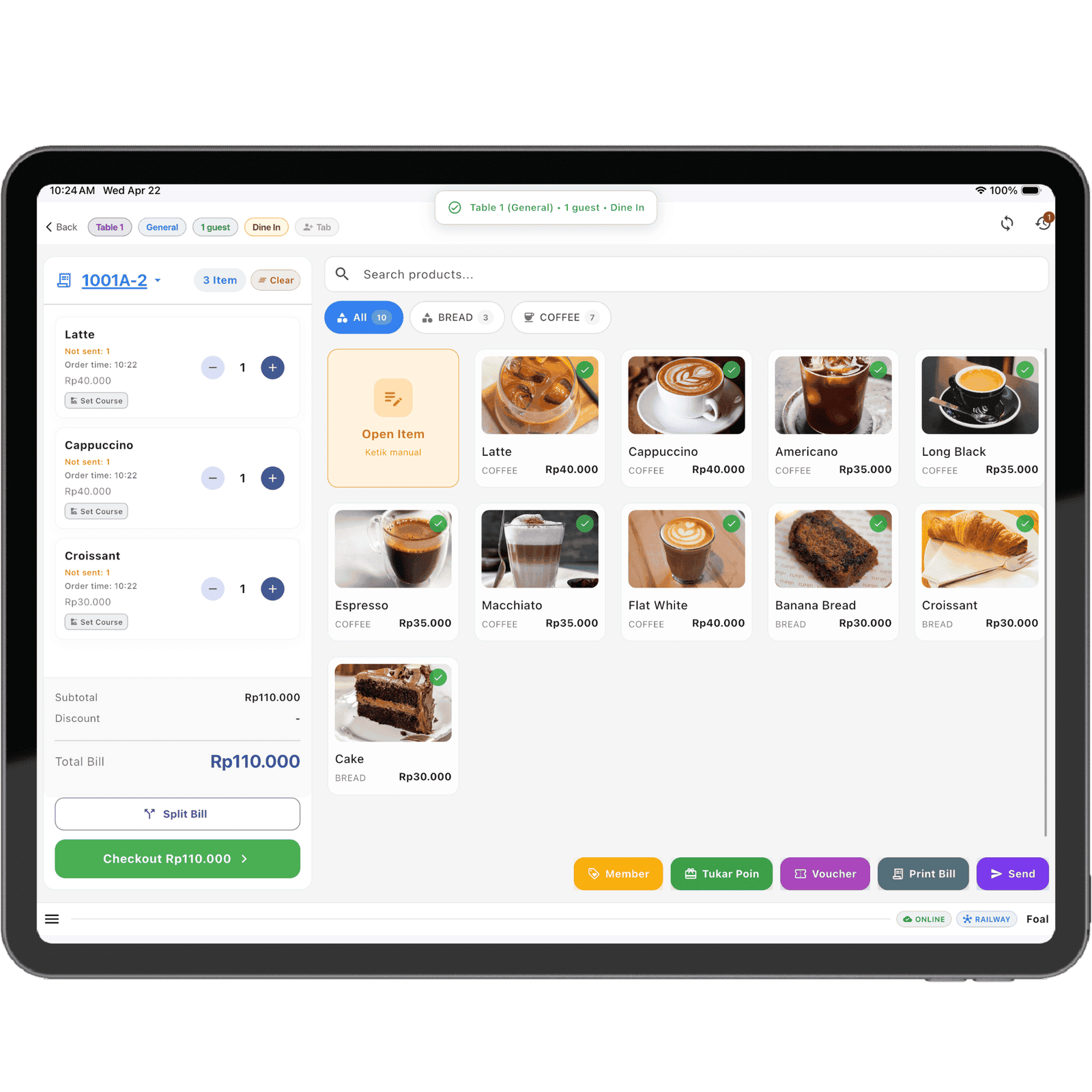
Download ZyncPOS from the App Store. Install on your iPad in minutes.
Add products, set prices, and configure your store. Ready-made templates available.
Accept payments, manage orders, and monitor your business in real-time.
Available in Monthly or Annual subscriptions. Contact sales for the best offer.
All features active without limitations — one package for all your business needs.
Process payments in seconds with iPad touch interface.
Multiple iPads simultaneously — separate cashier and take order modes.
Manage categories, modifiers, variants, and supergroups right from iPad.
Customers scan QR at the table, order from phone. Orders go straight to cashier.
Table layout per section, real-time status: available, occupied, or reserved.
Cash, QRIS, debit/credit cards, and split bills in one system.
Print receipts, bills, and kitchen tickets to thermal printer via LAN.
Real-time Kitchen Display System, orders appear on kitchen screen instantly.
Daily, weekly, monthly reports. Analyze best-sellers & sales trends.
Automated promos based on time, item, or total purchase.
Manage customer deposit balances, easy top-up, complete history.
PIN per cashier, access levels: owner, admin, cashier, or manager.
Table booking with calendar, automatic confirmation to customers.
Manage VAT, service charges, and other taxes per outlet.
Manage your business from any browser, monitor sales & edit menus.
Safe & scheduled data backup to cloud, restore anytime.
Support team ready to help via chat, email, or remote.
Integrate with other systems through a comprehensive API.
From small coffee shops to multi-outlet restaurants — ZyncPOS flexibly adapts to your business needs.

Manage drink menus, topping modifiers, barista queues, and QR table ordering — all from one iPad.

Table management, kitchen display, split bills, and per-menu sales reports in real-time.

Monitor orders from multiple channels in one screen. Automatic kitchen alerts, controlled ingredient stock.
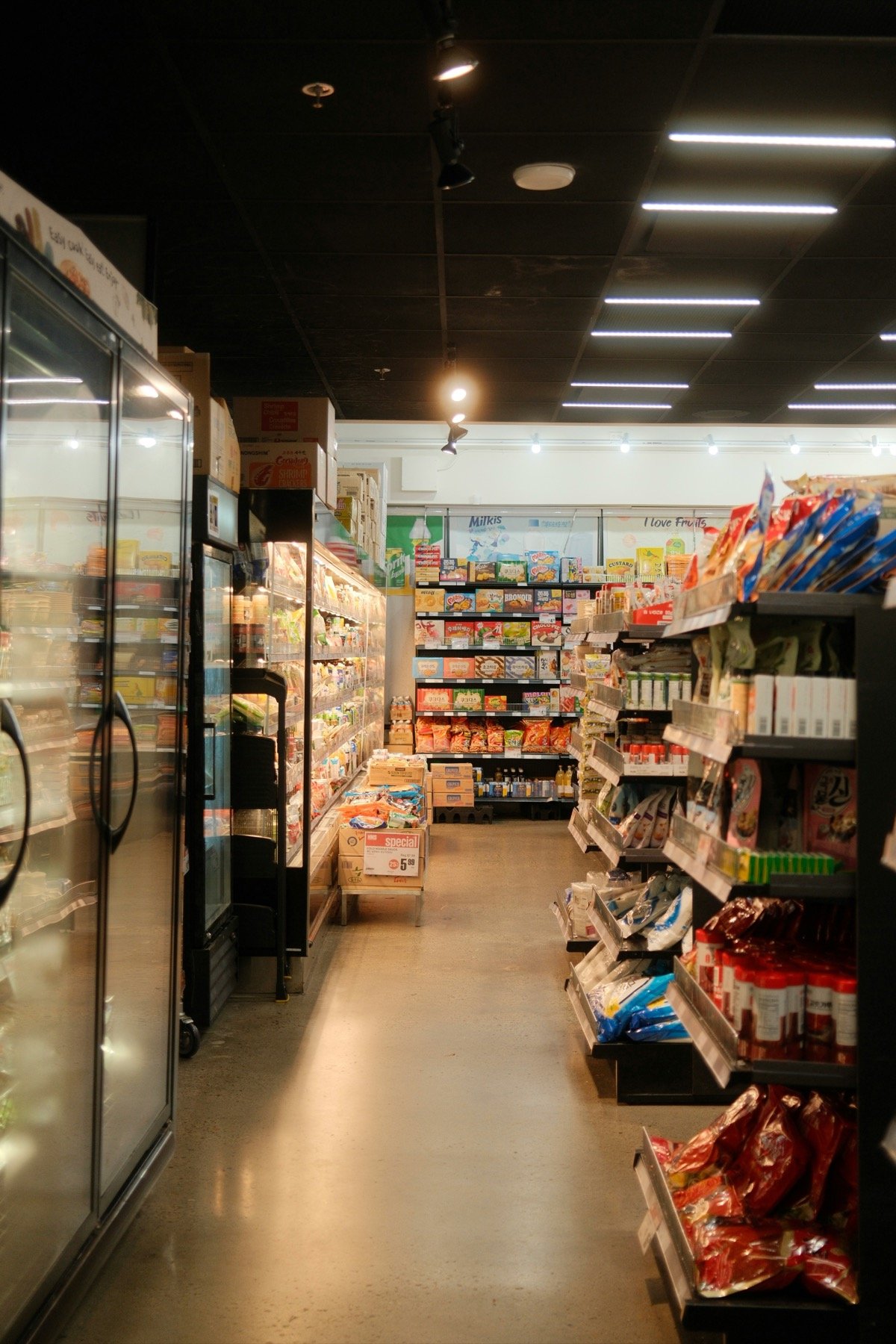
Barcode scanner, product stock management, inventory reports, and multiple payment methods.

Record recipes & ingredients, calculate COGS per product, and auto-track daily raw material stock.

One account for all branches. Monitor each outlet's performance from the owner dashboard anytime.
Start your free 14-day trial — no credit card required.