Restaurant POS

The restaurant POS, from table to kitchen.

ZyncPOS connects servers, cashiers, and the kitchen in one system: a real-time table plan, orders straight to the Kitchen Display, split bills the way guests want, and table bookings recorded automatically.

  • No credit card
  • No contract
  • 0% commission

Restaurant problems we help you solve

  • Orders missed in the kitchen

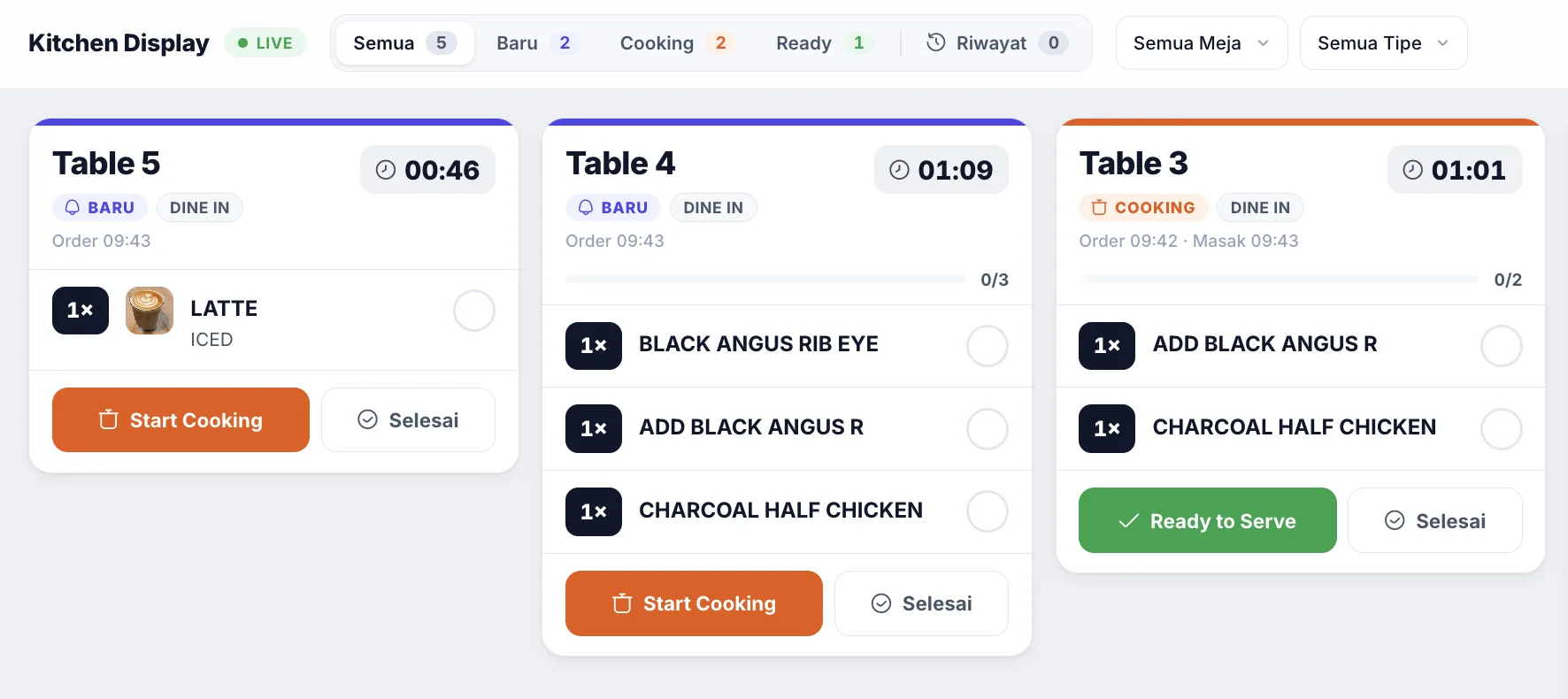
    Orders appear on the Kitchen Display by table and by course, with notes, oldest first.

  • Tables hard to track

    A digital floor plan shows every table's status in real time.

  • Guests want to pay separately

    Split the bill by item or by person in a few taps.

  • Many cashiers and servers

    Every iPad syncs in real time, with separate access for owners, managers, and cashiers.

Built for the way restaurants work

Kitchen Display

Orders land in the kitchen instantly.

A server or cashier taps Send and the order appears on the kitchen and bar screens by table. It also works alongside per-station kitchen printers.

  • Orders by course: appetizer, main, dessert
  • Notes & modifiers clearly visible
  • Cooking status visible at the counter
Kitchen Display System (KDS) guide
ZyncPOS Kitchen Display System showing orders by table and by course
Servers & Tables

Take orders at the table, not back at the counter.

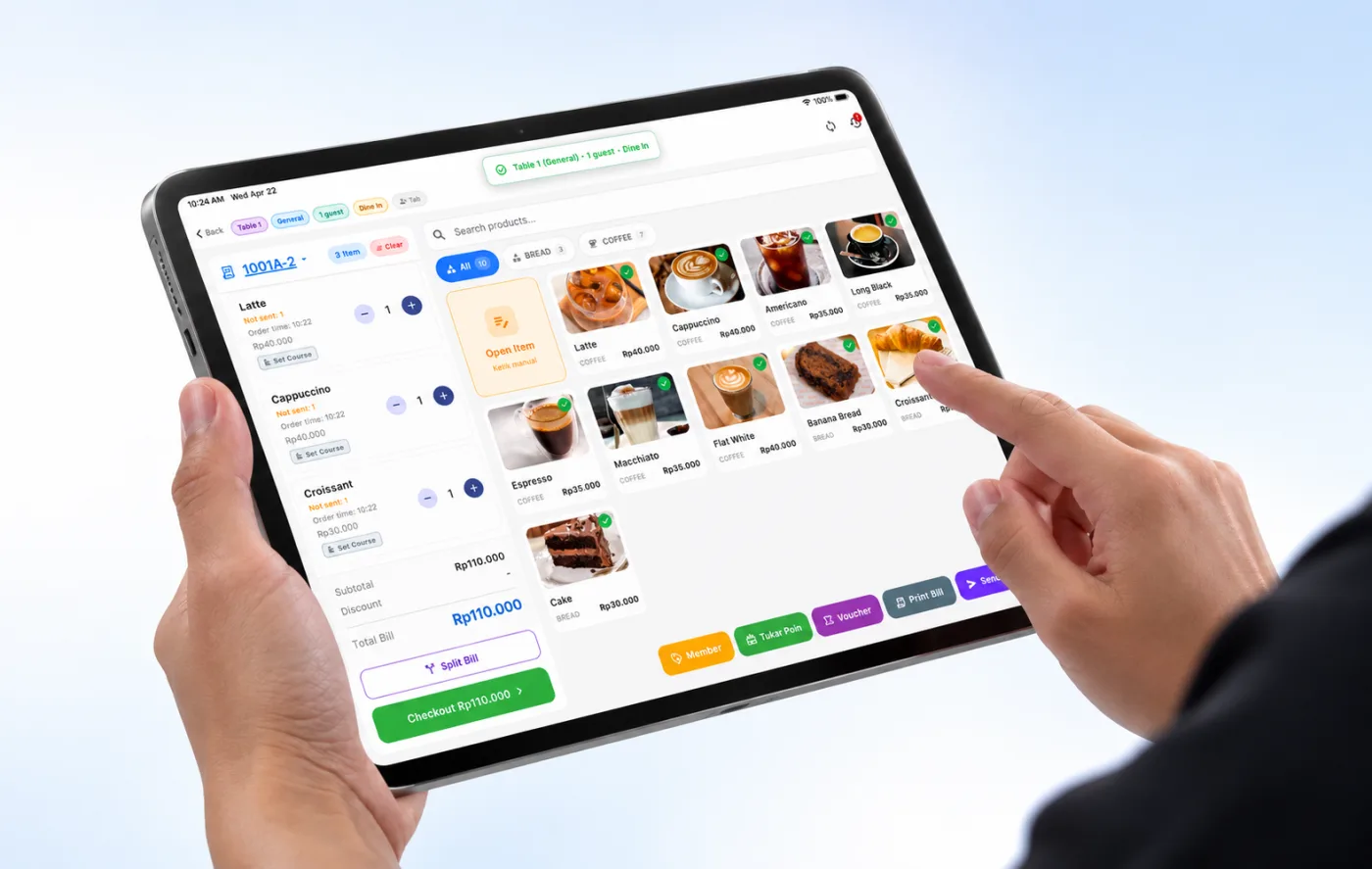
Servers enter orders at the table on an iPad. Orders go to the kitchen and sync with the register, while the floor plan shows every table's status.

  • Digital floor plan, real-time status
  • Multi-device for servers & cashiers
Restaurant server taking an order with the ZyncPOS POS on a tablet
Booking & QR Ordering

Bookings and orders come in on their own.

Guests book a table from your website or Instagram through ZyncReserve, or order from their phone by scanning the table QR. Everything lands in ZyncPOS automatically.

  • Online bookings flow into the POS
  • Table QR ordering from guests' phones
Multi-outlet

Every branch in one dashboard.

Menus, stock, and reports for every outlet sync in real time. Owners can watch every branch from anywhere.

  • Real-time sync across every iPad
  • Manage many branches from one account

Everything your restaurant needs

  • Digital floor plan

    Every table's status, in real time.

  • Kitchen Display System

    Orders by table & by course on kitchen screens.

  • Per-station kitchen printers

    Tickets go to the kitchen or bar.

  • Split bill

    Split by item or by person.

  • Bookings via ZyncReserve

    Reservations flow into the POS.

  • Table QR ordering

    Guests order from their own phone.

  • Customer deposits

    Manage guest and event deposits.

  • Inventory & recipe COGS

    Ingredients deducted per item sold.

  • Automatic tax

    Prices tax-inclusive or exclusive.

  • Access levels & audit log

    Every action logged in real time.

  • Reports & insights

    Revenue, best sellers, and peak hours.

  • Accurate Online integration

    Sales flow into Accurate in real time.

One price. Every feature.

No commission per transaction, no add-on modules sold separately.

Running 3 or more outlets? Talk to our team

ZyncPOS All-In-One
Rp 680,000/ outlet / month
billed annually · or Rp 800,000 monthly
  • iPad POS with offline mode
  • Kitchen Display & kitchen tickets
  • Ingredient stock, recipes & COGS
  • Table plan, split bill & QR ordering
  • Auto pricing for GoFood, GrabFood & ShopeeFood
  • Real-time reports & team support

Restaurant POS questions

What is the best POS for a restaurant?

A restaurant POS should have table management, send orders to the kitchen (a Kitchen Display or per-station printers), split bills, and run on several devices at once. ZyncPOS does all of that on an iPad, including offline mode when the internet drops.

How much does the ZyncPOS restaurant POS cost?

From Rp 680,000 per month on the annual plan, or Rp 800,000 per month billed monthly, with every feature included and no transaction commission. You can try it free for 14 days first.

Can servers take orders at the table?

Yes. Servers can use an iPad to enter orders at the table. Orders go straight to the kitchen and sync with the register in real time.

Does ZyncPOS have a Kitchen Display System?

Yes, a KDS is included. Orders appear by table on kitchen and bar screens. The kitchen screen only needs an internet connection, not the same WiFi as the register.

Does it work for restaurants with several branches?

Yes. Every outlet is managed from one account, with menus, stock, and reports synced in real time. For many outlets, contact our team for a custom quote.

Try it for 14 days. Feel the difference at rush hour.

We help you set up your menu and printers. No credit card, cancel anytime.

Chat with us