POS for Cafés & Coffee Shops

The café POS that stays fast when the line is long.

ZyncPOS helps cafés and coffee shops serve faster: orders with modifiers go straight to the barista, guests can order themselves by QR, and the cost of every cup is calculated automatically.

  • No credit card
  • No contract
  • 0% commission

Café problems we help you solve

  • Long lines at rush hour

    Ring up orders with modifiers in a few taps, and let guests order themselves by table QR or kiosk.

  • Drinks made wrong

    Size, sugar level, ice, and milk type show clearly on the barista ticket or screen.

  • Unclear cost per cup

    Set the recipe once. Beans, milk, and cups are deducted automatically with every sale.

  • Unreliable café WiFi

    Keep selling offline; data syncs automatically when the internet is back.

Built for the way cafés work

Orders & Barista

From register to barista, made right.

Pick the item, add modifiers like size, sugar, ice, or oat milk, and send. The ticket prints at the bar or appears on the barista screen instantly.

  • Clear modifiers & notes
  • Automatic tickets per station (bar & kitchen)
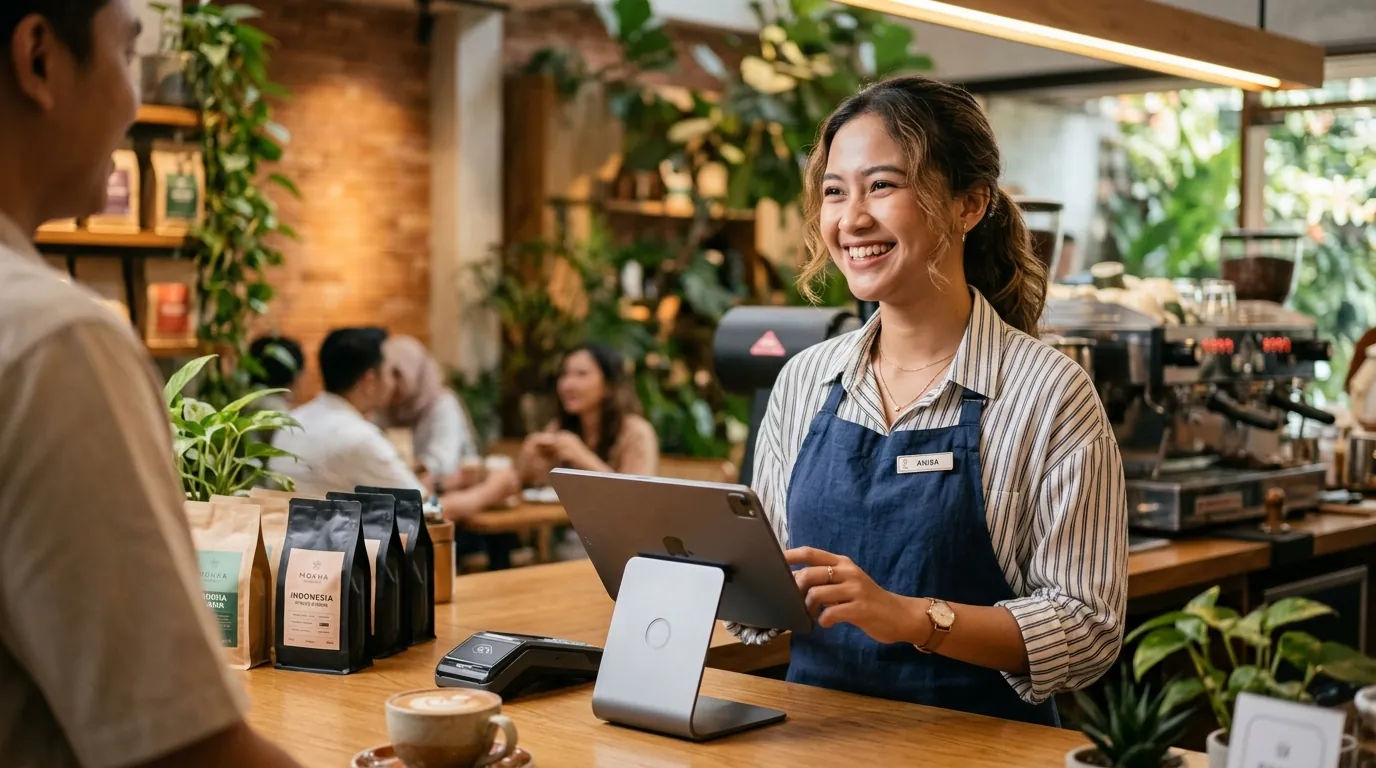
Café cashier using the ZyncPOS iPad POS
QR Ordering & Kiosk

Guests order themselves; the cashier handles payment.

Guests scan the table QR to order from their phone with no app to install, or order at a kiosk. Orders go straight to the register and the bar.

  • QR ordering, no app download
  • Self-order kiosk for takeaway
Inventory & COGS

Know the profit on every cup.

Set the recipe once. Every Iced Latte sold deducts espresso, milk, palm sugar, and the cup automatically, and the margin per item updates in real time.

  • Ingredient stock in grams & ml
  • Margin per item, in real time
Try the free food cost calculator

Everything your café needs

  • Automatic offline mode

    Keep selling when the internet drops.

  • Modifiers & variants

    Size, sugar, ice, milk, and toppings.

  • QR ordering & kiosk

    Guests order from the table or a kiosk.

  • Bar printers & screens

    Tickets go to the bar and kitchen.

  • Inventory & recipe COGS

    Ingredients deducted per item sold.

  • Virtual membership & e-vouchers

    Member cards and vouchers sent by email.

  • Promo campaigns

    Send promos to members from the dashboard.

  • Per-platform delivery pricing

    Separate GoFood, GrabFood, ShopeeFood prices.

  • QRIS & cashless

    Digital payments recorded cleanly.

  • Reports & insights

    Best sellers, peak hours, and revenue.

  • Multi-device & multi-outlet

    Every iPad and branch in sync.

  • Accurate Online integration

    Sales flow into Accurate in real time.

One price. Every feature.

No commission per transaction, no add-on modules sold separately.

Running 3 or more outlets? Talk to our team

ZyncPOS All-In-One
Rp 680,000/ outlet / month
billed annually · or Rp 800,000 monthly
  • iPad POS with offline mode
  • Kitchen Display & kitchen tickets
  • Ingredient stock, recipes & COGS
  • Table plan, split bill & QR ordering
  • Auto pricing for GoFood, GrabFood & ShopeeFood
  • Real-time reports & team support

Café POS questions

What is the best POS for a café?

A café POS should be fast with modifier-heavy menus, send orders straight to the barista, calculate the cost per cup, and keep working when the internet drops. ZyncPOS does all of that on an iPad, with one price for every feature.

How much does the ZyncPOS café POS cost?

From Rp 680,000 per month on the annual plan, or Rp 800,000 per month billed monthly, with every feature included and no transaction commission. You can try it free for 14 days first.

Does it work for a small coffee shop with one register?

Yes. One iPad is enough to start. As your café grows, add more registers, a barista screen, or new outlets, and everything stays in sync.

Does the POS keep working if the café WiFi goes down?

Yes. ZyncPOS has automatic offline mode. Sales keep running and are stored on the iPad, then sync to the cloud when the internet is back.

What hardware do I need?

An iPad running iPadOS 15 or later and a receipt printer. Add a bar printer or a barista screen if needed. ZyncPOS supports Epson and Star Micronics printers, and our team can help set up a hardware bundle.

Try it for 14 days. Feel the difference at rush hour.

We help you set up your menu and printers. No credit card, cancel anytime.

Chat with us