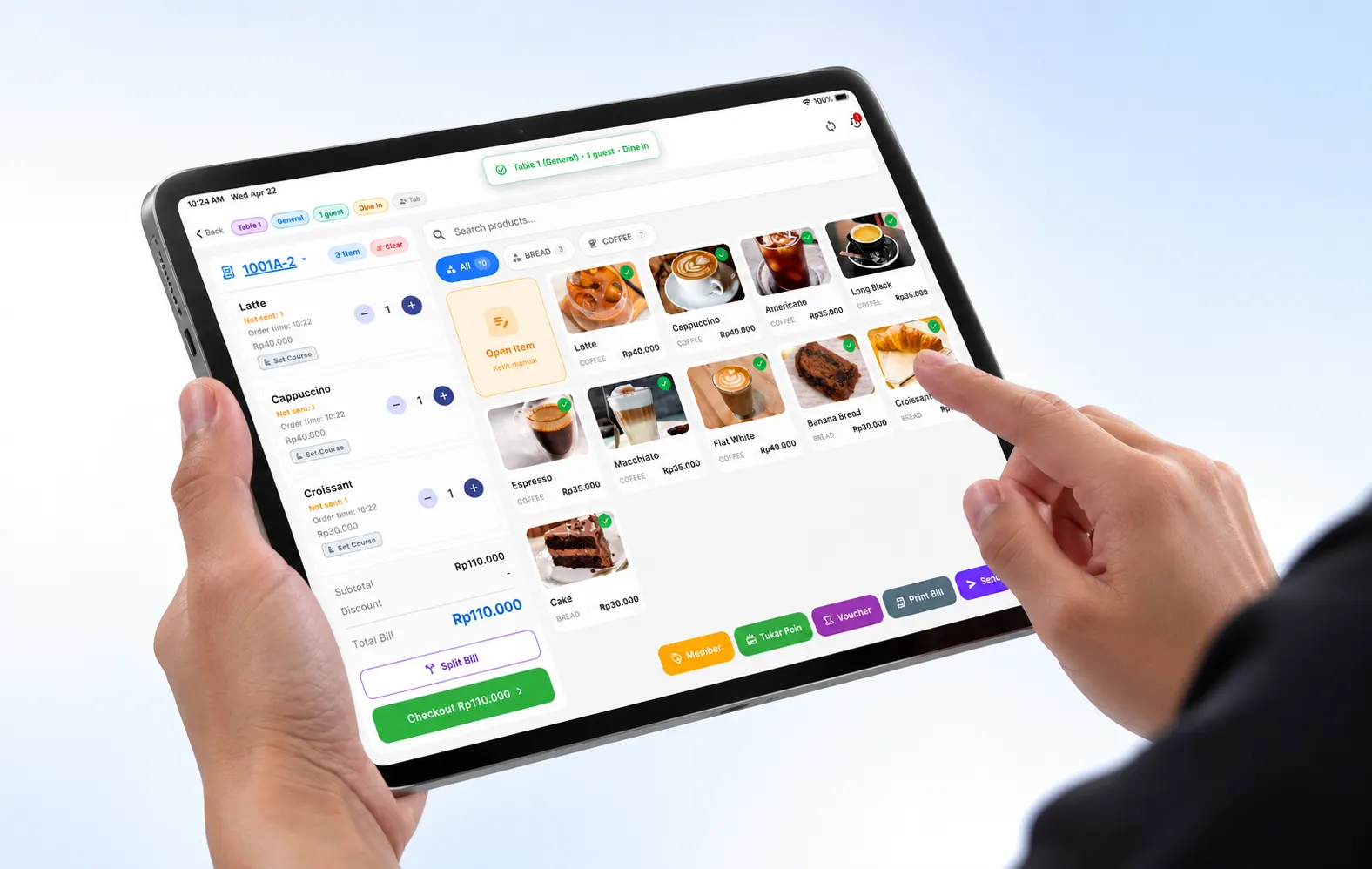
ZyncPOS cashier screen on iPad
iPad POS for cafés & restaurants

The iPad POS that keeps selling,even offline.

Orders, kitchen, inventory, and reports in one app. One flat price, zero commission per transaction.

  • 14 days free
  • No credit card
  • Guided setup by our team
Download on theApp Store

Built for your busiest hours

Five things that make service calmer, from the counter to the kitchen.

Offline mode

Internet down? Keep selling.

Sales, receipts, and kitchen tickets keep working without internet. Once you are back online, everything syncs automatically.

  • Receipts & kitchen tickets still print
  • Auto-sync when back online
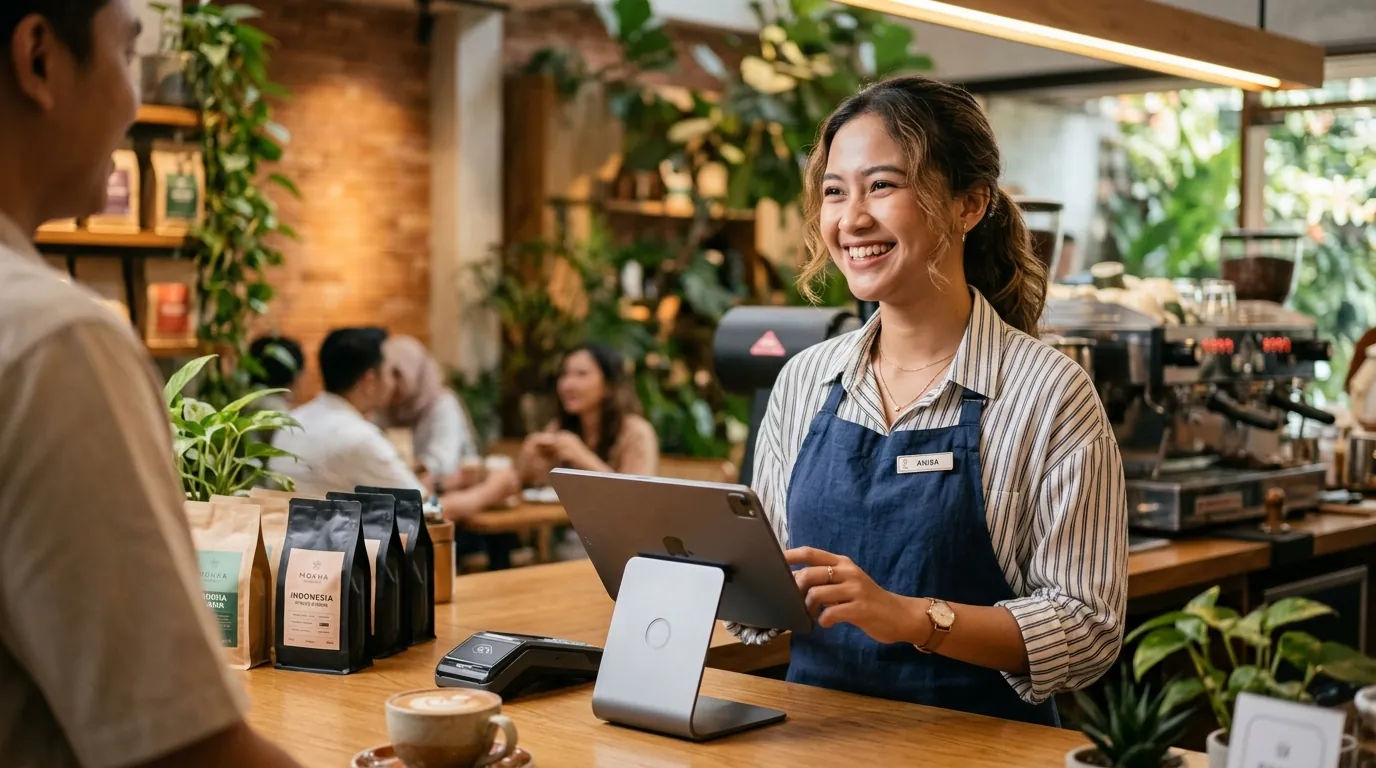
Café cashier serving a customer with ZyncPOS on iPadOffline · 12 sales waiting to sync
Multi-device & Multi-location

Every device and branch, one set of real-time data.

Cashiers, waiters, kitchen, and owner see the same orders, tables, and stock, updated in real time. Every branch is managed from one account.

  • Real-time sync across every iPad
  • Manage many branches from one account
Kitchen Display

Orders land in the kitchen instantly.

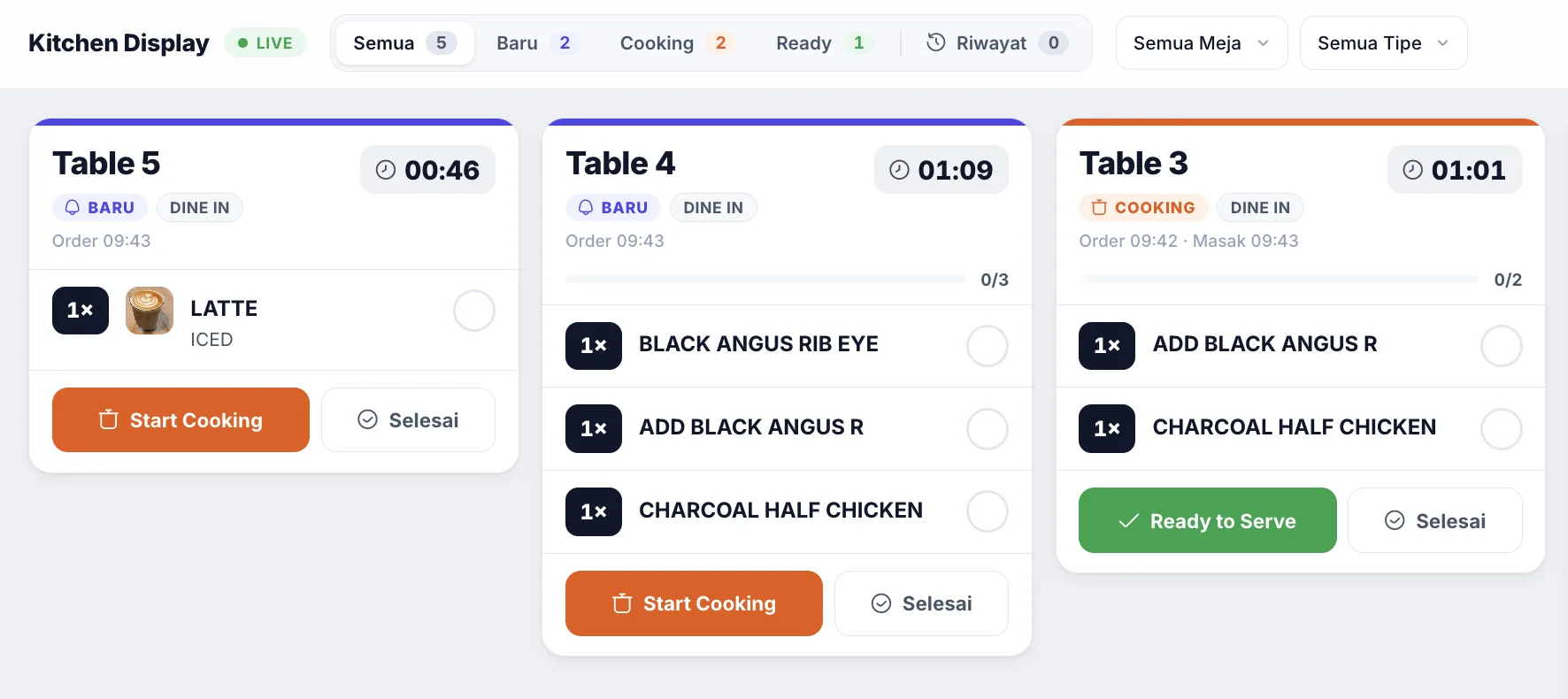
The cashier taps Send and the order appears on the kitchen screen with every note. No lost paper, no missed orders.

  • Notes & modifiers clearly visible
  • Cooking status visible at the counter
Kitchen Display System (KDS) guide
ZyncPOS Kitchen Display showing orders by table
Online Order, Booking & Kiosk

Guests order and book on their own.

Guests book a table from your website or social media through ZyncReserve, scan the table QR to order from their phone, or order at the kiosk. Everything lands in ZyncPOS automatically.

  • Online bookings land in the POS automatically
  • Table QR ordering from guests’ phones
  • Self-order kiosk in your outlet
Discover ZyncReserve
Inventory & COGS

Stock and COGS that count themselves.

Set up recipes once. Every sale deducts ingredients automatically, so you always know the profit per menu item.

  • Ingredient stock in grams & ml
  • Real-time margin per item

One price. Every feature.

No commission per transaction, no add-on modules sold separately.

Running 3 or more outlets? Talk to our team

ZyncPOS All-In-One
Rp 680,000/ outlet / month
billed annually · or Rp 800,000 monthly
  • iPad POS with offline mode
  • Kitchen Display & kitchen tickets
  • Ingredient stock, recipes & COGS
  • Table plan, split bill & QR ordering
  • Auto pricing for GoFood, GrabFood & ShopeeFood
  • Real-time reports & team support

Frequently Asked Questions (FAQ)

Everything you need to know about ZyncPOS iPad software

No. ZyncPOS features automatic offline mode. All register transactions continue running 100% uninterrupted without internet, stored securely on iPad, and auto-uploaded to cloud when online.
ZyncPOS supports all iPad devices running iPadOS 15 or later, including iPad 10.2", iPad Air 10.9", iPad Pro 11", and iPad Pro 12.9".
Each table receives a unique QR code sticker. Customers scan the QR code with their phone camera without downloading any app, select items, and orders instantly reach the iPad POS and the kitchen screen (KDS) or kitchen printer.
Yes, a KDS is included with ZyncPOS. Orders from the register, QR ordering, and the kiosk appear instantly on kitchen and bar screens, with table number, notes, and cooking status. The KDS runs in the browser of any tablet or monitor and only needs an internet connection, not the same WiFi as the register. It also works alongside kitchen printers.
For GoFood, GrabFood, and ShopeeFood, ZyncPOS does not pull orders automatically from the platform apps. What is automatic is the pricing: when the cashier selects the platform as the order type, menu prices switch to that platform’s prices, protecting your margin. For printing, ZyncPOS supports Epson and Star Micronics receipt and kitchen printers, plus automatic cash drawer triggers.
Yes. ZyncPOS integrates directly with Accurate Online. Every transaction at the ZyncPOS register flows into Accurate Online automatically in real time, so your finance team never has to retype data or import Excel files. If you don't have accounting software yet, you can also use ZyncAccounting, which is built into ZyncPOS.
Zero contracts or hidden fees. You can cancel or change plans anytime with complete flexibility.
Under 5 minutes! Simply install ZyncPOS on your iPad, enter your menu items (or use our premade templates), and your register is ready for the first transaction.

Try it for 14 days. Feel the difference at rush hour.

We help you set up your menu and printers. No credit card, cancel anytime.

Chat with us